
Compare the top automated trading platforms in 2026.
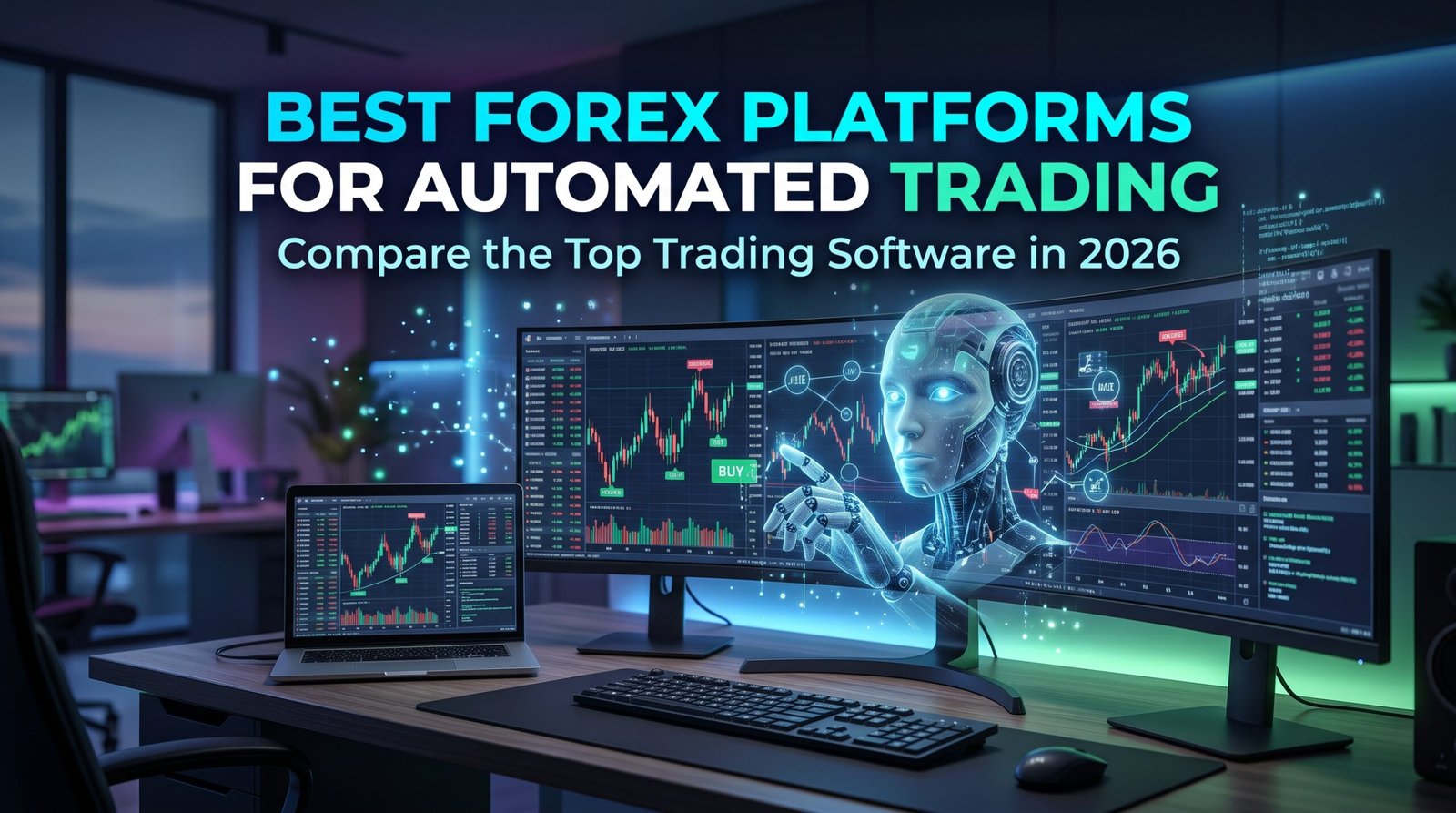
Alt-text: Professional trading workstation with multiple monitors displaying automated Forex algorithms, candlestick charts, and digital technology elements.
The global Forex market never sleeps. Operating twenty-four hours a day, five days a week across major financial hubs, currency markets present a continuous stream of trading opportunities. However, human traders need rest, and staring at charts for hours inevitably leads to fatigue and emotional mistakes. This is exactly why the best Forex platforms for automated trading have become essential tools for modern retail and institutional traders alike.
By removing the physical and psychological limitations of manual trading, advanced software and algorithmic strategies can monitor the markets, identify high-probability setups, and execute trades around the clock. Whether you are a beginner looking to deploy a commercial Expert Advisor (EA) or a quantitative analyst developing high-frequency algorithms, selecting the right trading platform is the most critical decision you will make. Not all platforms are built equally—some prioritize simplicity and community-built bots, while others offer deep, institutional-grade customization.
In this comprehensive guide, we will explore exactly what automated Forex trading is, how trading bots operate, and evaluate the top platforms dominating the market in 2026. By the end of this article, you will have a clear understanding of which platform aligns with your trading goals, technical skills, and risk tolerance.
What Is Automated Forex Trading?
How market data flows through a trading algorithm to trigger automated buy and sell orders.
Alt-text: Educational infographic showing the flow of automated Forex trading from market data to algorithmic analysis, triggering buy/sell orders, and automatic execution.
Automated Forex trading, commonly referred to as algorithmic trading or ‘algo trading,’ is the process of using computer software to analyze currency markets and execute trades based on a predefined set of rules. These rules can be built around technical indicators, price action setups, volume profiling, or even fundamental news data.
At the core of this technology are Forex robots and Expert Advisors (EAs). An EA is a script or automated program that plugs directly into a trading platform. When real-time market conditions align perfectly with the algorithm’s coded criteria, the software automatically sends a buy or sell signal to your Forex broker for immediate execution.
Traders generally utilize two variations of this technology:
• Fully Automated Trading: The system handles everything from scanning market data to risk management (calculating stop-loss and take-profit levels) and order execution entirely without human intervention.
• Semi-Automated Trading: The algorithm acts as a highly efficient scanner, alerting the trader to a high-probability setup via mobile or desktop notification, leaving the final decision to pull the trigger up to the human.
The primary advantage of automation is the complete elimination of emotional decision-making. Trading bots do not experience fear, greed, or revenge-trading tendencies; they execute their strategies with cold, mathematical precision. Furthermore, they react to market shifts in milliseconds. The disadvantage, however, is that algorithms lack human intuition and can struggle during unexpected, unprecedented market events where historical patterns break down.
7 Best Forex Platforms for Automated Trading
Let’s review the leading platforms that empower traders to automate their strategies in 2026.
A visual overview of the leading automated Forex trading platforms available to traders.
Alt-text: Professional comparison infographic featuring the logos and interfaces of leading automated Forex trading software including MT4, MT5, cTrader, TradingView, NinjaTrader, and ProRealTime.
1. MetaTrader 5 (MT5) – Best Overall for Modern Automated Trading
MetaTrader 5, developed by MetaQuotes, is arguably the most robust and widely used retail platform for automated trading today. Built as the modern successor to MT4, it offers enhanced processing power, native multi-asset capabilities, and a highly advanced strategy tester.
• Best Use Case: Ideal for serious algorithmic traders and those looking to trade Forex alongside stocks, indices, and commodities.
• Main Automated Trading Features: MT5 utilizes the MQL5 programming language—a powerful, object-oriented language similar to C++. Its standout feature is the multi-threaded strategy tester, meaning it can backtest complex strategies across multiple currencies simultaneously at incredible speeds.
• Ease of Use: Moderate. The interface is highly functional, and deploying a pre-built EA is a simple drag-and-drop process.
• Advantages: Multi-threaded backtesting; access to the vast MQL5 Market; built-in economic calendar; superior order execution speeds.
• Disadvantages: MQL5 is not backward compatible with MQL4, meaning old MT4 bots will not work on MT5 without being completely rewritten.
• Cost Considerations: Free for retail traders to use. Paid EAs and VPS hosting costs vary.
• Ideal Type of Trader: Beginner to advanced traders looking for a modern, future-proof automation ecosystem.
2. MetaTrader 4 (MT4) – Best for Forex Trading Robots
Despite being over two decades old, MetaTrader 4 remains a titan in the retail Forex industry, surviving entirely on the back of its massive legacy ecosystem of Expert Advisors.
• Best Use Case: Best suited for traders who want to purchase or download pre-built Forex robots rather than code their own.
• Main Automated Trading Features: Uses the MQL4 programming language. Its defining feature is the absolute abundance of ready-made trading bots and custom indicators available in the MetaTrader Market and third-party forums.
• Ease of Use: Very high. The interface is clean, lightweight, and highly intuitive for absolute beginners.
• Advantages: Unmatched library of free and paid EAs; supported by almost every Forex broker globally; runs on low-spec hardware.
• Disadvantages: Single-threaded strategy tester makes optimization incredibly slow; outdated architecture; MetaQuotes is phasing out official updates.
• Cost Considerations: Free to use.
• Ideal Type of Trader: Beginners and intermediate traders who rely on community-built Forex robots.
3. cTrader – Best for Advanced Algorithmic Trading
Developed by Spotware, cTrader is a premium trading platform known for its transparent execution and highly modern interface. Its automated trading environment is natively integrated and known as cTrader Automate.
• Best Use Case: Traders who have a background in software development and want a transparent, STP/ECN trading environment.
• Main Automated Trading Features: cTrader Automate uses C#, a mainstream, highly versatile programming language, to build “cBots.” The platform features an advanced built-in code editor, highly visual backtesting, and profound market depth (Level II pricing).
• Ease of Use: High for developers familiar with C#, but it carries a moderate learning curve for complete beginners.
• Advantages: C# allows the use of endless external libraries; modern UI; excellent order execution and robust API support.
• Disadvantages: A smaller community compared to MetaTrader means fewer pre-built commercial bots are readily available for purchase.
• Cost Considerations: Free to use. Development costs for custom cBots will vary.
• Ideal Type of Trader: Intermediate to advanced algorithmic traders prioritizing clean code and top-tier execution.
4. TradingView – Best for Automated Strategy Development and Charting
TradingView has revolutionized market analysis with its cloud-based charting. While it is not a direct execution platform in the traditional sense, it has become the internet’s central hub for strategy creation and alert automation.
• Best Use Case: Strategy development, visual backtesting, and cloud-based trading alerts.
• Main Automated Trading Features: Uses Pine Script, a lightweight and incredibly intuitive programming language designed specifically for trading indicators and strategies. Traders build systems, backtest them visually, and set up Webhook alerts.
• Ease of Use: Very high. Pine Script is arguably the easiest trading language to learn, supported by brilliant documentation.
• Advantages: Unmatched charting tools; massive community of open-source scripts; entirely cloud-based so you don’t need to leave your computer running.
• Disadvantages: Alerts alone do not execute trades automatically. To fully automate, traders must integrate TradingView Webhooks with an external API service, a third-party bridge (like PineConnector), or a natively integrated broker.
• Cost Considerations: Basic version is free; paid plans (Essential, Plus, Premium) are required for multiple Webhooks and lower timeframe data.
• Ideal Type of Trader: Traders of all levels who want to visually build strategies and link them to their brokers.
5. NinjaTrader – Best for Advanced Algorithmic Traders
NinjaTrader is a heavyweight platform primarily known in the futures market, but it holds a strong position for Forex traders requiring heavy-duty, quantitative analysis.
• Best Use Case: Heavy quantitative analysis and complex, multi-timeframe strategy development.
• Main Automated Trading Features: Utilizes NinjaScript, an extension of C#. It boasts one of the most powerful strategy analyzers in the retail space, allowing for deep optimization, walk-forward testing, and Monte Carlo simulations.
• Ease of Use: Low for beginners. The platform is incredibly powerful, but the learning curve is steep.
• Advantages: Desktop-grade processing power; professional charting; exceptional backtesting and optimization tools.
• Disadvantages: Limited Forex broker compatibility compared to MT4/MT5; highly complex interface.
• Cost Considerations: Free for advanced charting and backtesting; live execution requires purchasing a lifetime license or paying a lease fee.
• Ideal Type of Trader: Advanced quantitative analysts and experienced algorithmic traders.
6. ProRealTime – Best for Visual Strategy Automation
ProRealTime is a high-end, web-based platform known for its premium data feeds and visual automation builder, often provided through top-tier brokers.
• Best Use Case: Non-programmers who want to build custom automated systems without writing code.
• Main Automated Trading Features: Uses ProBuilder for indicators and ProOrder for automated trading systems. Its standout feature is a code-free visual creation module where traders can build complex algorithms just by defining conditions directly on the chart.
• Ease of Use: High. The visual builder makes automation highly accessible.
• Advantages: No coding required for basic to intermediate bots; excellent server-side execution; high-quality charting.
• Disadvantages: Usually requires a monthly subscription fee or active trading volume through partnered brokers to access for free.
• Cost Considerations: Paid software unless subsidized by a partner broker.
• Ideal Type of Trader: Traders who want custom automation without learning complex programming languages.
7. Broker APIs and Custom Solutions – Best for Custom Trading Systems
For institutional traders or tech-savvy quants, off-the-shelf software may be too restrictive. Instead, they bypass standard software and connect directly to a broker’s servers via an Application Programming Interface (API), typically using REST or FIX API protocols.
• Best Use Case: Proprietary trading algorithms, machine learning models, and high-frequency trading (HFT).
• Main Automated Trading Features: Total freedom. Traders write their algorithms in Python, Java, C++, or Node.js, and host them on dedicated servers. The script sends HTTP or FIX messages directly to the broker to execute trades.
• Ease of Use: Very low. Requires professional software engineering skills.
• Advantages: Ultimate flexibility; lowest possible latency (especially with FIX API); ability to integrate external alternative data sources like AI news sentiment.
• Disadvantages: Extremely complex to build and maintain; API availability depends strictly on the broker; requires managing your own server infrastructure.
• Cost Considerations: High development and server maintenance costs.
• Ideal Type of Trader: Hedge funds, prop firms, and expert quantitative developers.
Comparison Table
| Platform | Automation Technology | Best For | Skill Level |
| MetaTrader 5 | MQL5 / Expert Advisors | Overall automation | Beginner to Advanced |
| MetaTrader 4 | MQL4 / Expert Advisors | Forex robots | Beginner to Advanced |
| cTrader | C# / cBots | Advanced algorithms | Intermediate to Advanced |
| TradingView | Pine Script / Alerts | Strategy development | Beginner to Advanced |
| NinjaTrader | NinjaScript / C# | Advanced strategies | Advanced |
| ProRealTime | ProBuilder / ProOrder | Visual automation | Beginner to Advanced |
| Broker APIs | API / Python | Custom systems | Advanced |
Note: Platform availability, execution features, and broker integrations can vary widely depending on your region and your chosen financial institution.
How to Choose the Best Automated Forex Trading Platform
Selecting the right platform is only half the battle. Because execution matters, you must evaluate the software and the broker simultaneously:
• Automated Trading Compatibility: Ensure your broker actually permits automated trading. Some brokers heavily restrict high-frequency scalping bots or arbitrary EA behavior.
• Availability of EAs and Bots: If your goal is to buy a ready-made bot, MT4 or MT5 is best. If you want to code a unique strategy, consider cTrader (C#) or Python via an API.
• Backtesting and Strategy Optimization: Your platform must offer robust historical data and a powerful strategy tester to validate your ideas before you risk real money.
• Execution Speed and Latency: Automation requires rapid execution to avoid slippage. Ensure the platform communicates seamlessly with the broker’s servers.
• Broker Compatibility: As noted earlier, evaluate the broker separately from the trading software. A great platform paired with an unregulated broker is dangerous.
• VPS Hosting Support: To run bots 24/7 without internet interruption, you need a Virtual Private Server (VPS). Many top brokers offer free VPS hosting for high-volume traders.
• Trading Commissions and Spreads: Automated strategies, especially scalpers, generate high trade volumes. Low spreads and competitive commissions are absolutely mandatory for long-term profitability.
• Security and Regulatory Considerations: Only connect your automated software to brokers regulated by top-tier authorities (e.g., FCA, ASIC, CFTC, or CySEC).
How to Start Automated Forex Trading
How an automated Forex system analyzes currency prices, identifies opportunities, and executes trades.
Alt-text: Step-by-step educational illustration of an automated Forex trading system in action: analyzing currency prices, finding opportunities, managing risk, and executing trades.
Follow this beginner-friendly step-by-step guide to safely launch your first automated trading system:
1. Learn the basics of Forex trading: You must understand leverage, pips, margins, and market hours before trusting an algorithm to trade for you.
2. Choose an appropriate automated trading platform: Select from MT4, MT5, cTrader, or TradingView based on your strategy and coding skills.
3. Find a compatible, properly regulated broker: Ensure they offer excellent spreads and allow automated trading.
4. Open a demo trading account: Never test a new bot with real money first.
5. Select or develop a trading strategy: Either write your own algorithm, use a visual builder, or purchase a highly reputable, verified EA.
6. Backtest the strategy using historical data: Run the bot through years of market data to verify its theoretical edge.
7. Forward-test it on a demo account: Let the bot trade live in simulated market conditions for several weeks to prove its real-time stability.
8. Configure risk management: Set strict stop-loss limits and ensure position sizing aligns carefully with your account balance.
9. Consider VPS hosting for continuous operation: Rent a VPS so your trading bot runs uninterrupted, even when your personal computer is turned off.
10. Monitor performance regularly: Automation is not ‘set-and-forget.’ Markets evolve, and algorithms require periodic reviews and adjustments.
Are Automated Forex Trading Robots Profitable?
This is the most common question in the retail trading industry. The realistic and honest answer is: They can be, but automation does not guarantee profits.
Trading algorithms identify opportunities based strictly on mathematical formulas, price action setups, and historical patterns. While a well-coded bot can flawlessly execute a profitable strategy, it cannot predict sudden geopolitical events, sudden central bank interest rate interventions, or unprecedented market volatility.
Traders must be highly vigilant of unrealistic marketing claims. Many vendors sell ‘holy grail’ bots promising 500% monthly returns. These are almost always scams or highly dangerous Martingale/grid systems that look great for a few weeks before eventually blowing up the entire account.
Furthermore, historical backtesting is not proof of future performance. A common pitfall for quantitative developers is ‘curve fitting’ or over-optimization—tweaking a bot’s parameters so heavily that it looks utterly perfect on past data, but fails miserably when exposed to live, chaotic market conditions.
Common Risks of Automated Forex Trading
To protect your capital, you must actively manage these inherent risks:
• Poorly Programmed Bots: A single bug in the algorithm’s code can trigger a continuous loop of losing trades, wiping an account in minutes.
• Excessive Leverage: Because algorithms can open multiple trades rapidly, high leverage magnifies the impact of a losing streak.
• Internet and Server Interruptions: If your connection drops while a trade is open without a hard stop-loss, you are exposed to limitless risk.
• VPS Failures: Even virtual servers can experience downtime. You must monitor your systems periodically.
• Slippage and Execution Problems: During major news events, automated orders may not fill at the desired price, destroying a strategy’s expected mathematical edge.
• Fraudulent Forex Robot Sellers: The internet is flooded with fake EA vendors. Always verify a bot’s third-party tracking records (like Myfxbook) before purchasing.
Frequently Asked Questions
1. What is the best platform for automated Forex trading?
MetaTrader 5 is widely considered the best overall platform due to its modern architecture, MQL5 capabilities, and powerful multi-threaded strategy tester. However, the exact ‘best’ choice depends on your coding skills and trading goals.
2. Is MetaTrader 5 better than MetaTrader 4 for automated trading?
Technologically, yes. MT5 is faster, supports multi-asset trading, and has a far superior backtesting engine. However, MT4 still holds value because it has a larger legacy library of pre-existing trading bots.
3. Can beginners use Forex trading bots?
Yes. Beginners can easily purchase or download Expert Advisors and install them on MT4 or MT5 without needing to write a single line of code.
4. Is automated Forex trading profitable?
It can be, but it requires a genuinely profitable underlying strategy and strict risk management. Automation simply executes the strategy; it does not magically create a winning edge out of thin air.
5. Do I need programming skills to automate Forex trading?
Not necessarily. You can buy existing bots, use visual builders like ProRealTime, or hire a freelance developer to code your unique strategy for you.
6. Can Forex robots trade 24 hours a day?
Yes. As long as the global Forex market is open (five days a week), a hosted trading bot can monitor and execute trades continuously without needing sleep.
7. Is VPS hosting necessary for automated trading?
It is highly recommended. A VPS ensures your trading platform stays connected to the broker’s servers 24/7, protecting your automated systems from local power outages or internet drops.
8. Are free Forex trading bots safe?
Rarely. While some open-source bots are excellent for educational purposes, running a random, unverified free bot on a live account is extremely risky. Always thoroughly backtest and demo-test any software.